

Dash Cam Mobile: Driver Record
CoolDev Co Ltd
I tested Dash Cam Mobile: Driver Record as a phone-based driving recorder, and my first impression was that it makes the most sense when a household wants a simple way to turn an existing smartphone into a dash cam. It combines video recording with GPS and speed information, then lets you share the result with a smartphone workflow rather than requiring a separate camera for every vehicle. That sounds straightforward, but the practical value depends heavily on how carefully the phone is mounted, who is using it, and whether everyone in the household understands what the recordings are for.
The app comes from CoolDev Co Ltd and sits in the Auto & Vehicles category. It is free to install, with optional in-app purchases ranging from $1.99 to $38.99 per item. I would not judge it only by the promise of 4K recording. A phone can produce very sharp footage, but a good result also depends on the device, storage, battery condition, windshield position, and road conditions. In my experience, the strongest reason to try this app is convenience: it can give an occasional driver a familiar phone-based recording setup without immediately buying dedicated hardware.
How Dash Cam Mobile fits into shared household driving
The most useful household scenario is a shared car that is driven by several people but does not justify a permanently installed dash cam. One person might use the vehicle for a morning commute, another for errands, and a newer driver might borrow it at the weekend. Instead of moving a dedicated camera between cars, the household can keep a compatible phone with the vehicle or use a personal device when needed. That flexibility is the app’s practical identity.
I would especially consider it for occasional road trips, borrowed cars, learner practice, or a second vehicle that is not driven every day. The GPS and speed information can add useful context to a recording, while the sharing function is helpful when a clip needs to be shown to another person. A short incident video can be easier to discuss when the road view and journey details are kept together.
There is an important trade-off, though. A phone is also a personal communication device, and using it as a dash cam can create household friction. The driver may need the phone for navigation, calls, or emergencies. If the phone is removed from its mount, loses power, or becomes too warm, the recording setup may stop being useful. I would treat the app as a flexible recorder rather than assuming it will replace a dedicated camera in every car.
Related News

Why WhatsApp Messenger Still Makes Everyday Communication Feel Easy

Jurassic World: The Game Is the Better Dino Tycoon for Strategic Players

Threads in Real Life: Who Should Join, Lurk, or Leave

How SHEIN Turned Shopping Into an Endless Content Feed

How to Make Fortnite Feel Smarter on Mobile

Should You Switch to Microsoft Outlook on Mobile?
For a shared vehicle, I would agree on a simple routine before anyone drives. The phone should be mounted in the same general position, connected to power when possible, and checked before the car moves. The person starting the journey should know whether recording has actually begun and where the finished clips will be kept. Those small habits matter more than chasing the highest available video setting.
What the recording features mean in daily use
The headline attraction is 4K dash cam quality, but the useful question is whether the phone can maintain a stable, readable recording during a real journey. Higher-resolution video can make signs, plates, and road details easier to inspect, yet it can also create larger files and place greater demands on the phone. If a household shares one older device, a lower setting may be more practical than filling storage quickly or pushing the phone too hard during a long drive.
GPS adds location context, and the speed tracker can help reconstruct what was happening during a trip. I see those details as supporting information, not as an automatic substitute for careful driving or an official record. A speed display can be affected by how the phone receives location data, and a video can still be difficult to use if the camera angle, glare, or lighting is poor. The best approach is to regard the information as useful context that should be checked rather than blindly trusted.
Gallery
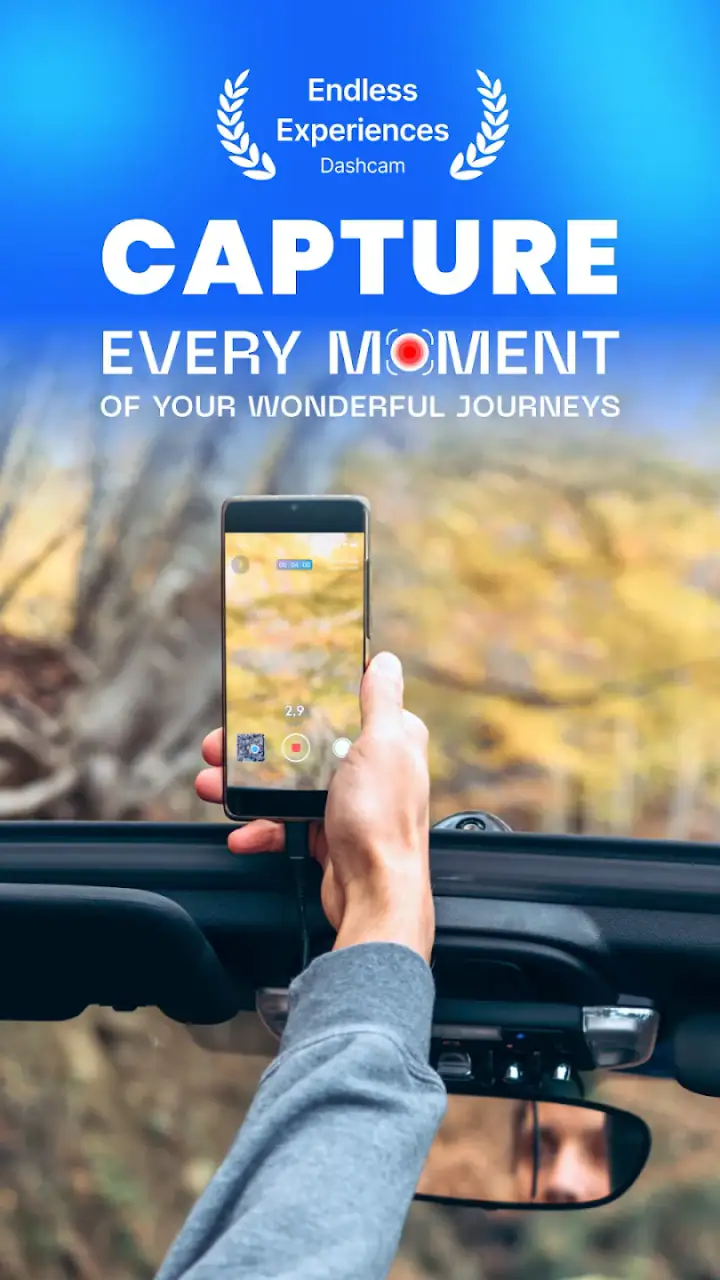
The sharing feature also changes how a household might use the app. A driver can pass a relevant recording to another smartphone instead of asking everyone to handle the original device. That is convenient after a close call or when a family member wants to review a route. It is also a reason to decide in advance who is allowed to receive clips, because a recording may include passengers, conversations, locations, or other vehicles.
The most important practical insight is that recording quality is a complete setup, not just a resolution number. Clean glass, a firm mount, a clear view beyond the windshield, sufficient power, and sensible storage management all influence whether a clip is genuinely useful. I would spend more time getting those basics right than repeatedly changing video settings.
Setting boundaries before a shared phone goes on the dashboard
When several people use the same phone or car, setup boundaries prevent confusion. I would keep the device dedicated to driving during the journey rather than switching between recording, messaging, and entertainment. Even if the app is running, a driver should not be handling the phone while moving. The mount should be positioned before departure, and any route planning should be completed while parked.
A second boundary concerns ownership of the recordings. If the phone belongs to one household member but another person drives, both should understand who can view or share the footage. The app’s ability to share with a smartphone is useful, but convenience should not become an excuse to distribute every clip casually. A short written household agreement, even an informal one, can answer practical questions: who saves an incident clip, who deletes ordinary journeys, and who handles a recording involving a guest passenger?
Storage is another boundary that is easy to overlook. High-quality video can accumulate quickly, especially when the phone is used on long trips. I would review recordings after important journeys and remove ordinary clips that no longer have a purpose, while preserving anything needed for an insurance or safety discussion. This is one area where a dedicated dash cam may feel easier, because its entire purpose is already separated from personal photos and messages.
Battery and heat deserve their own check. Continuous camera use can be demanding, and a phone that begins a journey with a low charge is a poor shared resource. If the car has a reliable power connection, I would use it and still check the phone periodically when parked. If the device becomes unusually warm, I would stop and reassess rather than treating uninterrupted recording as more important than the phone’s condition.
Coordinating drivers without turning the app into a chore
A household system works best when it takes less than a minute to follow. I would create a pre-drive sequence: place the phone, connect power, open Dash Cam Mobile, confirm the view, start recording, and leave the device alone. After parking, stop the recording before sharing or reviewing anything. That sequence is simple enough for different drivers to repeat and reduces the chance that one person assumes another person handled the setup.
For a family with multiple vehicles, the app is most useful when expectations are consistent rather than when every driver experiments independently. The same person might prefer one camera angle while another prefers a different one, but the view should never be adjusted so far that it distracts from the road. If a phone is moved between cars, I would check the mount and windshield position each time instead of assuming the previous setup transfers perfectly.
Sharing can support coordination after a journey. For example, a parent might ask a young adult driver to send a clip from a confusing intersection, or two partners might review a recording after a minor parking incident. I would share only the relevant section when possible and avoid sending footage to a large group chat by default. That keeps the app focused on safety and documentation rather than turning ordinary driving into constant household surveillance.
There is also a useful distinction between recording for evidence and recording for coaching. If a newer driver is learning, a clip can help identify a poor lane position or a confusing road layout. The discussion should happen when everyone is calm and parked. The app can provide visual material, but it cannot replace instruction, judgment, or trust. Used well, it supports a conversation; used badly, it can make every journey feel monitored.
Age, trust, and the limits of shared-device oversight
The app has an Everyone content rating, which makes it suitable in age terms for a broad audience. That does not mean every driving situation is automatically appropriate for every user. The person behind the wheel still needs to be legally allowed and properly prepared to drive, and younger household members may need additional guidance from the adults responsible for the vehicle.
I would be careful not to confuse an Everyone rating with a family-management system. The app can be part of a household routine, but the rating does not establish who may drive, who may inspect recordings, or how long footage should be retained. Those decisions belong to the people sharing the car and the phone. If a household needs formal supervision tools, account separation, or detailed activity controls, this is probably not the right solution by itself.
Trust matters because a dash cam records more than the driver’s actions. Passengers, pedestrians, nearby cars, and recognizable locations may appear in the frame. Before using a shared phone, I would tell regular drivers what is being recorded and how clips are handled. That conversation is especially important when the phone belongs to one person but is used by another. Clear expectations are less intrusive than discovering later that a journey was recorded and shared without anyone discussing it.
For adults who simply want occasional road documentation, this app is relatively easy to understand. For households that want a detailed record of another person’s driving, I would be much more cautious. Recording can help clarify an event, but it should not become a substitute for communication. The app’s value is strongest when everyone knows the purpose and weakest when it is introduced secretly or used to create suspicion.
Where it beats a dedicated dash cam, and where it does not
Compared with a dedicated dash cam, the phone-based approach wins on accessibility. Many people already own a capable smartphone, and the app avoids buying another screen, camera, or storage system immediately. It is also easier to move between cars, which is useful for households with a shared vehicle or drivers who alternate between personal and family cars.
A dedicated dash cam usually has the advantage of being ready whenever the vehicle starts. It can remain mounted, draw power from a fixed installation, and keep driving footage separate from personal phone use. That separation is valuable for people who commute daily, want parking coverage, or need a system that behaves consistently without remembering to prepare a phone. I would choose dedicated hardware for a primary vehicle used every day, particularly if reliability matters more than flexibility.
Compared with ordinary phone camera recording, Dash Cam Mobile is more purpose-built because it brings driving-related elements such as GPS and speed tracking into the experience. A normal camera app may be familiar, but it does not naturally organize the journey around those details. On the other hand, users who already have a high-end phone camera and only need a quick scenic recording may not need a dash cam-focused app at all.
The app also differs from navigation software. Navigation is designed to guide a route, while this tool is designed to document the drive. Some drivers may want both functions, but combining them on one phone can increase screen, battery, and attention demands. I would not install it with the expectation that it replaces navigation, hands-free communication, or a properly mounted phone interface.
Compatibility, cost, and what to check before relying on it
The current version is 1.7, and it runs on Android 7.0 or later. That makes it accessible to a range of older Android phones, although operating-system compatibility alone does not guarantee a smooth 4K experience. Camera capability, available storage, battery health, and the phone’s ability to handle sustained recording will still shape the result.
The free entry price makes experimentation easy. You can test the setup on a short, familiar trip before deciding whether it fits your household. The optional purchases, from $1.99 to $38.99 per item, mean I would check exactly what an upgrade provides before paying. I would not buy an add-on simply because a higher recording quality sounds attractive; first confirm that the phone, mount, power supply, and storage plan can support the way you intend to use it.
The app has a 4.0 average from around 73 ratings, with 10K+ installs. That gives it a modest but real user footprint, though I would still make my own short test recording before trusting it on a long trip. A test should include daytime glare, a darker road if relevant, a few turns, and a review of the saved clip. That reveals more about your particular phone and car than a store score can.
One practical question is whether the app is right for an older spare phone. It may be worth trying, but I would not assume that an older device will deliver the same result as a newer one. Test heat, battery drain, focus, and stability while the car is parked. If the phone struggles, a dedicated camera may be the more economical choice than buying accessories for a device that is already unreliable.
My household verdict after using it as a shared recorder
I like Dash Cam Mobile: Driver Record most as a flexible, occasional-use tool for households that already have a suitable Android phone and want driving footage without committing to dedicated hardware. GPS, speed information, 4K-oriented recording, and smartphone sharing give it a clearer purpose than simply leaving the camera app open. The free starting point also makes it easy to test responsibly.
My recommendation comes with conditions. Prepare the phone before driving, keep it securely mounted, use power for longer journeys, review storage regularly, and agree on recording boundaries with anyone who shares the car. Do not treat the speed display as unquestionable proof, and do not let the desire for footage interfere with safe driving. These are not minor details; they determine whether the app becomes useful evidence or just a large collection of inconvenient clips.
I would recommend it to occasional drivers, shared-car households, road-trip users, and people who want to try a phone-based dash cam before buying hardware. I would skip it in favor of a dedicated dash cam if the vehicle needs an always-ready system, fixed installation, parking monitoring, or a recorder that never competes with personal phone use. I would also look elsewhere if the household needs formal user accounts, detailed parental controls, or strict separation between each driver’s recordings.
For a family or group of adults sharing one vehicle, the final decision comes down to trust and routine as much as technology. If everyone understands when the phone records, who can receive clips, and when ordinary footage is deleted, the app can be a practical addition to the car. If those boundaries are unclear, the same sharing convenience can become a source of arguments. In my view, that balance is the real test: this is a useful recorder when it supports coordination, but it should never replace it.
FAQs for Dash Cam Mobile: Driver Record
What is Dash Cam Mobile: Driver Record used for?
Dash Cam Mobile: Driver Record turns your Android or iOS phone into a basic driving camera. It can record the road ahead while you drive and may help document traffic incidents, unusual situations, or scenic journeys. Before using it, check that your phone is securely mounted, has enough storage and battery power, and is positioned without blocking your view of the road or access to essential vehicle controls.
Can Dash Cam Mobile: Driver Record record video while I use navigation or other apps?
The app’s multitasking behavior depends on your device, operating-system version, and the features supported by the current release. Some dash-cam applications can continue recording while navigation or another function is displayed, while others pause when sent to the background. Test this before relying on it, because recording may stop when another app takes control, the phone locks, or system battery restrictions become active.
Does the app work without an internet connection?
A dash-cam recorder generally needs no continuous internet connection to capture video, which is useful when driving through areas with weak mobile coverage. However, internet access may still be required for downloading the app, checking updates, displaying online maps, synchronizing files, or sharing recordings. Confirm how the app stores footage locally and avoid deleting important clips before verifying that they were saved correctly.
How much storage and battery does Dash Cam Mobile: Driver Record require?
Continuous video recording can consume considerable storage, especially when using higher resolution or longer journeys. It can also drain a phone battery and generate heat. Before driving, clear unnecessary files, choose a suitable recording quality, and connect the phone to a reliable car charger. Review whether the app supports loop recording or automatic deletion, since these options can prevent storage from filling unexpectedly.
Is Dash Cam Mobile: Driver Record suitable as legal evidence?
Recordings from a phone dash cam may be useful when explaining what happened during a road incident, but their acceptance depends on local law, image quality, file integrity, and the circumstances of the case. The app should not be treated as a substitute for an approved vehicle camera or legal advice. Follow privacy rules, avoid recording while manually operating the phone, and preserve original files with their metadata.
Pros
- Records driving routes with video
- speed
- and location data.
- Can provide useful evidence after accidents or traffic incidents.
- Simple controls make starting and stopping recordings convenient.
- Supports hands-free use
- reducing the need to handle the phone while driving.
- Useful for documenting scenic road trips and memorable journeys.
Cons
- Continuous recording can quickly consume storage space.
- Long sessions may drain the phone battery significantly.
- Video quality depends heavily on the phone’s camera and lighting.
- A suitable phone mount is needed for a stable
- useful recording angle.
- Local privacy laws may restrict recording audio
- people
- or license plates.


